

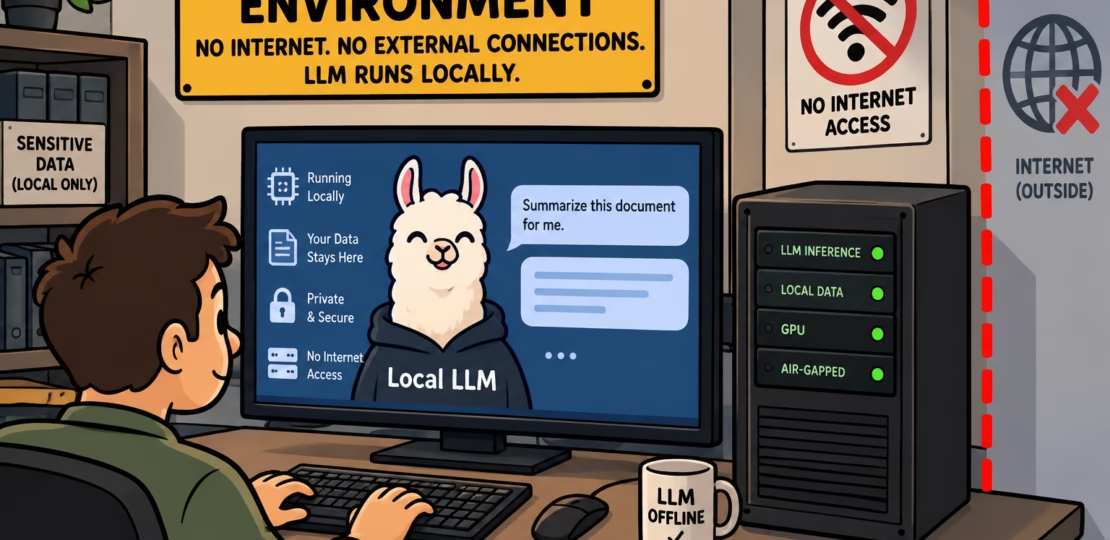
In this article, we’ll build an air-gap around a local Ollama instance so the model runs on your GPU, talks to your apps over loop-back, and can’t reach the internet, until you deliberately open a logged import window. I built it on a fresh Omarchy workstation, and every command below is one I’ve actually run.
This setup aims to run a full, dense, 27b model and if you are more interested in a leaner setup, for something like auto completion, see my guide on Auto-complete with your local LLM.
Back to this article; – Without an air-gap, your model can phone home, leak prompt history, or pull a compromised update while you sleep.
In this article, we’ll cover:
- The firewall: a Docker
--internalnetwork + nftables rule set that structurally removes the container’s egress. - The gate in: a loop-back-only
socatforwarder on127.0.0.1:11435, the only path your apps use to reach the model. - The import window: a fail-closed, time-limited egress protocol for pulling model weights, with an audited checksum snapshot.
- The verification: a 10-check script (
verify.sh) you can re-run after any change to prove the wall is still up.
What does “air-gap” mean?
Essentially, an air-gap isolates a system so no data crosses the boundary unless you deliberately carry it across. In a local LLM context, that means two things:
- No outbound route. The container can’t reach the internet. Not by accident, not by a stray
curl, not by a library that “phones home.” No default route means no egress. - The only door is a local socket. To talk to the model, you connect over your own loop-back interface,
127.0.0.1, a path that never leaves the machine.
The model I put, but you can do another, in the vault is qwen3.8:27b-mtp-q4_K_M, a 27B Q4_K_M quantized model that runs comfortably on my NVIDIA RTX 5090 card.
Get the firewall up first and the socket second
The order matters: build the firewall first, then add the socket. If we do it the other way, debugging the first failure means tearing the wall down.
The architecture has three moving parts:
- A local network for the container.
- A firewall to deny anything that slips through.
- A local forwarder to let your apps reach the model.
Here’s the architecture, stripped down:
your app ──(loop-back)──► 127.0.0.1:11435 ──(socat forward)──► [ llm-internal network ]
                                                                    │
                                                          ollama container :11434
                                                          GPU: RTX 5090
                                                          NO default route
As you can see, the container has no default route; the forwarder is the only path in.
Your environment: start with the hardware
Before any code, here is what my setup is. If your machine differs, adjust and re-verify.
| Component | On my machine | Why it matters to me |
|---|---|---|
| OS | Omarchy (Arch-based), read the release with uname -r | Ships a modern kernel, nvidia drivers, and nftables by default |
| Kernel | 7.2.5-3-omarchy (uname -r) | New enough for current nvidia-ctk + GPU cgroup v2 |
| GPU | RTX 5090, 32GB VRAM | Fits the 27B Q4 weights (about 17GB) with room for KV cache. Make sure to adjust the scripts here to the GPU that you are using. |
| nvidia driver | 610.57.04 | nvidia-ctk must recognize it for the runtime |
| Docker | 29.7.2 | Supports --internal networks, cgroup v2, and compose v5 |
| Compose | 5.5.1 | The docker compose v2/v5 CLI |
| Firewall | nftables 1.1.7 | No iptables on this distro; rules live in .nft files |
| Model | qwen3.8:27b-mtp-q4_K_M | The weight we import |
Capture your baseline now, so you can verify later:
# This distro ships no /etc/os-release-style file, so read the kernel name directly.
uname -r                             # 7.2.5-3-omarchy (Omarchy)
nvidia-smi --query-gpu=name,driver_version,memory.total --format=csv
docker --version && docker compose version
nft -v
If you are using same OS, and docker, as me then there are two things to mark:
- Omarchy is Arch-based and has no
iptablesfallback, so a firewall script that assumesiptableswill surprise you;nftablesis the only tool. - Docker 29.7.2 uses cgroup v2; if you see
nvidia-container-clierrors, checksystemd-cglsfor a hybrid setup.
Part 1 – Let’s build that firewall
The container needs a network that can’t reach the internet. Docker’s --internal flag does the heavy lifting, and the firewall closes the gaps that flag can’t reach.
Docker’s --internal flag disables NAT and removes the default route, which is the whole trick. Here’s the full compose file:
name: airgap-ollama
services:
ollama:
# Pinned image digest for reproducibility
image: ollama/ollama@sha256:fcf18828940c6919f6b9997d8f7a9730144c8df657589959732a73005a3464a3
# Distinct name: `ollama` is taken by your existing Ollama instance, so this is `airgap-ollama`
container_name: airgap-ollama
restart: unless-stopped
command: [serve]
networks: [llm]
# GPU passthrough via nvidia runtime (remove these 2 lines + the env var for CPU-only)
runtime: nvidia
environment:
- OLLAMA_HOST=0.0.0.0:11434
- OLLAMA_KEEP_ALIVE=30m
- NVIDIA_VISIBLE_DEVICES=all
ports:
# Host 11434 is taken by an existing Ollama install, so this one lives on 11435
# Loopback-only: nothing on the LAN can reach this service
- "127.0.0.1:11435:11434"
volumes:
- models:/root/.ollama
- ./snapshots:/snapshots
read_only: true
tmpfs:
- /tmp
- /run
- /dev/shm
security_opt:
- no-new-privileges:true
cap_drop: [ALL]
healthcheck:
test: ["CMD", "ollama", "list"]
interval: 30s
timeout: 5s
start_period: 30s
retries: 3
networks:
llm:
external: true
name: llm-internal
volumes:
models:We create the firewall and the import-window in one step with the below.
# setup.sh, create two networks: the wall, and the controlled import path
INTERNAL="llm-internal"
EGRESS="llm-egress"
docker network create --internal "$INTERNAL" # the wall: no NAT, no default route
docker network create "$EGRESS" # the escape hatch, attached ONLY during an explicit pullTwo networks, one is the wall, one is the controlled import path.
You shall not pass
A container reporting llm-internal in its own config doesn’t prove the wall is up; a stray NAT rule or a baked-in proxy env var can open a hole. So we need a check that asks the container to reach an external host and expects a fast failure:
# outbound must fail (route-based, not a slow timeout)
if docker exec airgap-ollama curl -sf --max-time 8 https://ollama.com >/dev/null 2>&1; then
  bad "egress WORKS, the wall is down!"
else
  ok "outbound https://ollama.com fails from container (as designed)"
fi
A failure is the expected outcome; a success means the wall is down, and the fix is almost always a NAT rule or a proxy env var baked into the image.
No default route in the container
The second check looks for a default route inside the container by reading /proc/net/route directly:
# container must have no default route (/proc/net/route, the image may lack iproute2)
if docker exec airgap-ollama grep -Eq '^[^ ]+[[:space:]]+00000000 ' /proc/net/route 2>/dev/null; then
  iface=$(docker exec airgap-ollama awk 'NR>1 && $2=="00000000"{print $1; exit}' /proc/net/route 2>/dev/null)
  bad "default route exists inside container (iface: $iface)"
else
  ok "no default route inside container"
fi
No 0.0.0.0 destination means the container can’t route an outbound packet. A container without a 0.0.0.0/0 route can’t reach the outside world, and that’s the invariant we’re asserting.
The firewall that logs and drops every egress attempt
--internal disables Docker’s NAT, but the container’s packets still cross the host’s FORWARD hook; nftables is where we close that gap. For good measure, we emit an nftables rule that logs and drops every packet from the container’s subnet, with the one exception of the Docker DNS path:
#!/usr/bin/env bash
# emit-nft.sh, writes airgap.nft: log and drop every egress attempt from the LLM subnet
# Run as root: nft -f airgap.nft  (re-apply after any dockerd restart)
set -euo pipefail
cd "$(dirname "$0")"
command -v nft >/dev/null || { echo "nftables not installed (nft -v)" >&2; exit 1; }

GW=$(docker network inspect -f '{{(index .IPAM.Config 0).Gateway}}' llm-internal)
SUB=$(docker network inspect -f '{{(index .IPAM.Config 0).Subnet}}'  llm-internal)

cat > airgap.nft <<EOF
table inet hermes_airgap {
  chain internal_egress {
    type filter hook forward priority filter;
    ip saddr $SUB ip daddr $GW accept          # the only legal hop: subnet -> gateway (Docker DNS)
    ip saddr $SUB  log prefix "airgap-egress-attempt: " level info
    ip saddr $SUB  drop
   }
}
EOF
echo "wrote airgap.nft (subnet=$SUB, gateway=$GW, forward hook)"
echo "apply as root:  nft -f airgap.nft     (persists until daemon reload; re-apply after dockerd restart)"
The rule reads the subnet and gateway from
docker network inspect, so it can’t drift if Docker re-assigns the range.
The generated rule set, on my machine, looks like this:
table inet hermes_airgap {
  chain internal_egress {
    type filter hook forward priority filter;
    ip saddr 172.20.0.0/16 ip daddr 172.20.0.1 accept
    ip saddr 172.20.0.0/16  log prefix "airgap-egress-attempt: " level info
    ip saddr 172.20.0.0/16  drop
   }
}
Three rules, no default policy drop and that’s it.
Now apply the above as root like this:
nft -f airgap.nftFrom now on, every egress attempt from the container lands in your log with the airgap-egress-attempt prefix, and that’s handy.
Part 2 – Loading the model without breaking the wall
The model download is an internet request, but the container can’t reach the internet. We do this through a controlled, logged, time-limited import window that opens, runs one pull, and closes, all in a single script.
Building one way in only aka. the gate
Docker, by design, doesn’t spawn a host-side port-forwarder for --internal containers, so a socat forwarder on 127.0.0.1:11435 is the sanctioned fix. The forwarder script is short and does one thing:
#!/usr/bin/bash
# airgap-11435-proxy, host-side listener on 127.0.0.1:11435 -> the airgap-ollama container
# It binds to loopback only, so no other host on the network can reach it.
set -euo pipefail

CNAME="airgap-ollama"
NET="llm-internal"
HPORT=11435
CPORT=11434

IP=$(docker inspect -f '{{(index .NetworkSettings.Networks "'"$NET"'").IPAddress}}' "$CNAME")
[[ -n "$IP" ]] || { echo "ERROR: no $NET IP for $CNAME" >&2; exit 1; }
exec /usr/bin/socat \
   "TCP-LISTEN:${HPORT},bind=127.0.0.1,reuseaddr,fork" \
   "TCP:${IP}:${CPORT}"
It binds to 127.0.0.1 only, so no other host on the network can reach it. The systemd unit supervises the script:
# airgap-11435-proxy.service, loopback forwarder on 127.0.0.1:11435
# Required because --internal makes dockerd never bind a host listener for that port
[Service]
ExecStart=/home/<your-user>/airgap-ollama/airgap-11435-proxy.sh
Restart=always
RestartSec=3
NoNewPrivileges=true

[Install]
WantedBy=multi-user.target
Note, a crash is auto-restarted;
Restart=alwaysandNoNewPrivileges=trueare the two lines that matter.Now let’s enable it and verify like so:
systemctl daemon-reload
systemctl enable --now airgap-11435-proxy.service
ss -ltnp | grep 11435
The ss line must show 127.0.0.1:11435, not 0.0.0.0:11435; if it’s 0.0.0.0, someone has a path in from the network, and you undo it.
The hat-trick with the import window
Needless to say, pulling a model is the one time the wall has to bend. We run finish.sh to pull the model, emit a snapshot, re-verify the wall, and do a real chat, all in one root pass like so:
#!/usr/bin/env bash
# finish.sh, pull + end-to-end, all in one root pass
set -uo pipefail
cd "$(dirname "$0")"

MODEL="qwen3.5:2b-q4_K_M"   # Smoke-test model: 2B is lean enough for a quick end-to-end check
hr() { printf '\n=== %s ===\n' "$*"; }

hr "pre-check: container + GPU"
docker inspect --format '{{.State.Status}}' airgap-ollama 2>/dev/null || { echo "FATAL: container missing"; exit 1; }
docker logs airgap-ollama 2>&1 | grep -i 'rtx 5090' | head -2 || echo "WARN: GPU line not in logs yet"

hr "pull $MODEL via the sanctioned egress window (pull-model.sh)"
bash ./pull-model.sh "$MODEL" || { echo "FATAL: pull-model.sh failed (window is fail-closed, egress is detached)"; exit 2; }

hr "ownership back to current user (was run as root)"
chown -R "$(id -un):$(id -gn)" snapshots audit

hr "verify.sh (all checks)"
bash ./verify.sh
rc_verify=$?

hr "end-to-end: real chat reply on 127.0.0.1:11435"
resp=$(curl -s -m 240 http://127.0.0.1:11435/api/chat \
    -H 'Content-Type: application/json' \
    -d "{\"model\":\"$MODEL\",\"stream\":false,\"messages\":[{\"role\":\"user\",\"content\":\"Reply with exactly: GPU-OK\"}]}")
echo "$resp" | head -c 3000; echo
if echo "$resp" | grep -q 'GPU-OK'; then
  echo "    >>> E2E PASS: airgap instance answered"
else
  echo "    >>> E2E FAIL: no expected reply (see payload above)"
fi
docker logs airgap-ollama 2>&1 | grep -iE 'loaded model|processor|layer|offload' | tail -8

hr "SUMMARY"
echo "verify.sh exit = $rc_verify"
ls -lh snapshots/ 2>/dev/null
tail -n 4 audit/pulls.log 2>/dev/null
exit "$rc_verify"
Whoa, that was a bit of bash. If the chat reply contains GPU-OK, the model is on the GPU and the loop-back path works end to end.
The import script is where the window opens and closes; here’s the working logic:
#!/usr/bin/env bash
# pull-model.sh, open an egress window, pull ONE pinned model, emit a checksummed
# snapshot tar, close the window. Fail-closed: the window is ALWAYS detached, even on Ctrl-C.
# Usage: ./pull-model.sh <model:tag>   e.g. ./pull-model.sh mistral:7b-instruct-v0.2
set -Eeuo pipefail
cd "$(dirname "$0")"

SVC="airgap-ollama"
EGRESS="llm-egress"
SNAP_DIR="./snapshots"
LOG_FILE="./audit/pulls.log"
PROXY="airgap-11435-proxy"

model="${1:-}"
[[ -n "$model" ]] || { echo "usage: $0 <model:tag>" >&2; exit 1; }
case "$model" in
    *$'\n'*|*' '*)          echo "malformed model name (whitespace not allowed)" >&2; exit 1;;
    *":latest"|":latest")   echo "refusing :latest, use an explicit pinned tag" >&2; exit 1;;
esac
REF_RE='^[a-zA-Z0-9._/:-]+$'
[[ "$model" =~ $REF_RE ]] || { echo "malformed model name: $model" >&2; exit 1; }

mkdir -p "$SNAP_DIR" "$(dirname "$LOG_FILE")"
ts()    { date -u +%Y-%m-%dT%H:%M:%SZ; }
log() { printf '[%s] %s\n' "$(ts)" "$*" | tee -a "$LOG_FILE" >&2; }

# Fail-closed teardown: whatever happens, the egress window closes
cleanup() {
  local code=$?
  docker network disconnect "$EGRESS" "$SVC" >/dev/null 2>&1 || true
  systemctl start "$PROXY" >/dev/null 2>&1 || true     # restore loopback forwarder
  log "egress window CLOSED (exit=$code)"
  exit "$code"
}
trap cleanup EXIT

# Baseline: make sure we're on home network, not already egressing
docker network disconnect "$EGRESS" "$SVC" >/dev/null 2>&1 || true
systemctl stop "$PROXY" >/dev/null 2>&1 || true
log "OPENING egress window for $model"
docker network connect "$EGRESS" "$SVC"

# 1) pull
log "ollama pull $model"
docker exec "$SVC" ollama pull "$model"

# 2) verify present (don't trust the pull)
if ! docker exec "$SVC" ollama list | grep -Fq "$model"; then
  log "ERROR: model not present after pull"
  exit 2
fi

# 3) portable snapshot, the air-gap artifact.
# On this host's ollama 0.34.3, neither `ollama save` (removed in 0.33.x) NOR
# `ollama cp <model> <path.tar>` can write a .tar, so the snapshot is a plain
# `tar` of the model blob store, run from a fresh `docker run --network none`
# container that mounts the same volume read-only. Zero registry traffic.
VOL="airgap-ollama_models"
IMAGE='ollama/ollama@sha256:fcf18828940c6919f6b9997d8f7a9730144c8df657589959732a73005a3464a3'
fname="$(printf '%s' "$model" | tr '/:' '__').tar"
snap_abs="$(pwd)/$SNAP_DIR"
log "exporting snapshots/$fname (scratch-container tar from $VOL)"
docker run --rm --name airgap-export --network none \
     -v "${VOL}:/root/.ollama:ro" \
     -v "${snap_abs}:/snapshots" \
     --entrypoint tar \
     "$IMAGE" \
     -C /root/.ollama -cf "/snapshots/$fname" models

# 4) checksum + audit record
sha="$(sha256sum "$SNAP_DIR/$fname" | cut -d' ' -f1)"
printf '%s   %s   %s\n' "$(ts)" "$sha" "$model" >> "$SNAP_DIR/SHASUMS"
log "SUCCESS    $model  sha256=$sha"
log "air-gap object ready: snapshots/$fname"
The trap cleanup EXIT guarantees the egress window closes even on Ctrl-C, so the open network is never left behind.
Here’s the tail on how the audit log should look like after a successful import:
[2026-09-24T10:40:09Z] OPENING egress window for qwen3.8:27b-mtp-q4_K_M
[2026-09-24T10:40:09Z] ollama pull qwen3.8:27b-mtp-q4_K_M
[2026-09-24T10:52:00Z] OFFLINE EXPORT qwen3.8:27b-mtp-q4_K_M  sha256=0a5ef8f6fc8c88bbd1baf640cbd327c63797909f87e825fe9c0fcade8f52804f
The sha256 hash is the fingerprint you can verify later; the timestamped log entry is the audit trail.
Where the model lives
After the import, the weights are in the models volume at /root/.ollama inside the container, and a verified snapshot tar sits on the host at ./snapshots/. The compose file mounts ./snapshots:/snapshots, so a future import can unpack a trusted tar straight into a fresh model store without reaching for the network.
Part 3 – Using the private model
None of the effort was worth it if we can’t use the model so let’s try that. The only legal path to the model is 127.0.0.1:11435; point any HTTP client there like this:
curl -s -m 240 http://127.0.0.1:11435/api/chat \
    -H 'Content-Type: application/json' \
    -d "{\"model\":\"qwen3.5:2b-q4_K_M\",\"stream\":false,\"messages\":[{\"role\":\"user\",\"content\":\"Reply with exactly: GPU-OK\"}]}"
The host is on loop-back, so no packet crosses any interface other than lo; the model answers, and the egress firewall sees nothing. This is the same POST /api/chat shape the OpenAI Python client uses when the base URL is http://127.0.0.1:11435/v1.
Finale by running the full verification suite
Following is the complete version of the verify.sh script.
#!/usr/bin/env bash
# verify.sh — the whole point of this setup, proven rather than assumed.
# Run after setup.sh and after any pull. All checks must print PASS.
set -uo pipefail
cd "$(dirname "$0")"

P=1; F=0
ok()  { printf '  PASS  %s\n' "$1"; P=$((P+1)); }
bad() { printf '  FAIL  %s\n' "$1"; F=$((F+1)); }

echo "== steady-state (egress must be structurally impossible) =="
# 1. egress network must NOT be attached right now
nets=$(docker inspect airgap-ollama --format '{{range $k, $v := .NetworkSettings.Networks}}{{$k}} {{end}}' 2>/dev/null)
if [[ -z "$nets" ]]; then
  bad "container 'airgap-ollama' not found — run ./setup.sh first"
elif [[ " $nets " == *" llm-egress "* ]]; then
  bad "llm-egress IS attached (window left open!) — inspect: docker network ls"
else
  ok "llm-egress unattached (nets: $nets)"
fi

# 2. container must have no default route (/proc/net/route — image may lack iproute2)
if docker exec airgap-ollama grep -Eq '^[^ ]+[[:space:]]+00000000 ' /proc/net/route 2>/dev/null; then
  iface=$(docker exec airgap-ollama awk 'NR>1 && $2=="00000000"{print $1; exit}' /proc/net/route 2>/dev/null)
  bad "default route exists inside container (iface: $iface)"
else
  ok "no default route inside container"
fi

# 3. outbound must fail (route-based, not a slow timeout)
if docker exec airgap-ollama curl -sf --max-time 8 https://ollama.com >/dev/null 2>&1; then
  bad "egress WORKS — the wall is down!"
else
  ok "outbound https://ollama.com fails from container (as designed)"
fi

# 4. the one door must be open
if curl -sf --max-time 5 http://127.0.0.1:11435/api/tags >/dev/null 2>&1; then
  ok "http://127.0.0.1:11435/api/tags responds on the host"
else
  bad "host cannot reach 127.0.0.1:11435 (check: docker compose logs ollama)"
fi

# 5. localhost-only binding: nothing but the host should be able to dial in.
# docker port is null on an --internal bridge (no docker-proxy, by design);
# the sanctioned listener is the loopback socat forwarder → verify the socket.
# NOTE: capture output first — `grep -q` exits on first match, upstream gets
# SIGPIPE (rc 141), and under set -o pipefail the pipeline "fails" even when
# the socket is healthy. Loopback match is explicit (127.0.0.1 or ::1).
SSLISTEN=$(ss -ltn 2>/dev/null | awk '{print $4}' | grep -E '[:.]11435$' || true)
if [[ -z "$SSLISTEN" ]]; then
  bad "no listener on 11435 at all (proxy service down?)"
elif grep -Eq '^(127\.0\.0\.1|::1|\[::1\])[:.]11435$' <<< "$SSLISTEN"; then
  ok "port bound to 127.0.0.1 only (socat forwarder, loopback-only)"
else
  bad "port 11435 bound to a non-loopback address ($SSLISTEN) — host-only breach"
fi

# 6. container health
state=$(docker inspect --format '{{.State.Health.Status}}' airgap-ollama 2>/dev/null)
if [[ -z "$state" ]]; then
  st=$(docker inspect --format '{{.State.Status}}' airgap-ollama 2>/dev/null)
  [[ -z "$st" ]] && bad "container not found — run ./setup.sh first" || ok "container state: $st (healthcheck may still be pending)"
elif [[ "$state" == "healthy" ]]; then
  ok "container state: healthy"
else
  bad "container unhealthy: $state — check: docker compose logs ollama"
fi

echo
echo "== GPU (RTX 5090 passthrough) =="
if docker exec airgap-ollama ls /dev/nvidia0 >/dev/null 2>&1; then
  ok "nvidia device node visible inside container"
else
  bad "no /dev/nvidia* inside container — GPU passthrough not active"
fi
# 7. GPU: ollama logs the card name as `description="NVIDIA GeForce RTX 5090"`;
# match on the model substring, not the full vendor phrase.
# NOTE: grep -q exits early → docker logs gets SIGPIPE (rc 141) → under
# set -o pipefail the pipeline "fails". Count with grep -c (reads all input).
GPUHITS=$(docker logs airgap-ollama 2>&1 | grep -ci 'rtx 5090' || true)
if [[ ${GPUHITS:-0} -gt 0 ]]; then
  ok "ollama logs show the RTX 5090 detected"
else
  bad "ollama logs show no GPU (check: docker logs airgap-ollama)"
fi

echo
echo "== supply chain =="
echo "  (SHASUMS lines: '<ts>  <sha256>  <model:tag>' — artifact path is derived, as pull-model.sh writes it)"
# Accept every line shape: bare 'sha  path' AND timestamped 'ts  sha  name'.
# Reconstruct a proper 'sha  path' table (path guessed as snapshots/<name>),
# then verify. A line whose path can't be located is a real FAIL, never skipped.
if [[ -f snapshots/SHASUMS ]]; then
  TABLE=$(mktemp)
  awk '
    {
      hash=""
      for (i=1;i<=NF;i++){ if ($i ~ /^[0-9a-f]{64}$/ && hash=="") hash=$i }
      if (hash=="") next
      # pull-model.sh names the artifact: tr / and : -> _, + ".tar"
      n=$NF; gsub(/[:\/]/,"_",n)
      if ($NF ~ /\.tar$/ || $NF ~ /^\//) path=$NF
      else                              path="snapshots/" n ".tar"
      print hash"  "path
    }' snapshots/SHASUMS > "$TABLE"
  if [[ -s "$TABLE" ]]; then
    if sha256sum -c "$TABLE" 2>/dev/null; then
      ok "snapshot checksums verify ($(wc -l < "$TABLE") record(s))"
    else
      sha256sum -c "$TABLE" 2>&1 | sed 's/^/    /'
      bad "snapshot checksum mismatch!"
    fi
  else
    bad "SHASUMS has no verifiable records"
  fi
  rm -f "$TABLE"
else
  echo "  skip  no snapshots yet (run ./pull-model.sh <model:tag>)"
fi

echo
echo "== audit trail (empty or recent = expected; old lines you forgot = problem) =="
if [[ -f audit/pulls.log ]]; then tail -n 5 audit/pulls.log; else echo "  (no pulls logged yet)"; fi

echo
echo "checks passed=$P failed=$F"
exit "$F"
Finally, run the full verification suite after every change:
$ ./verify.sh
== steady-state (egress must be structurally impossible) ==
  PASS  llm-egress unattached (nets: llm-internal )
  PASS  no default route inside container
  PASS  outbound https://ollama.com fails from container (as designed)
  PASS  http://127.0.0.1:11435/api/tags responds on the host
  PASS  port bound to 127.0.0.1 only (socat forwarder, loopback-only)
  PASS  container state: healthy

== GPU (RTX 5090 passthrough) ==
  PASS  nvidia device node visible inside container
  PASS  ollama logs show the RTX 5090 detected

== supply chain ==
  snapshots/qwen3.8_27b-mtp-q4_K_M.tar: OK
  PASS  snapshot checksums verify (1 record(s))

== audit trail ==
[2026-09-24T10:40:09Z] OPENING egress window for qwen3.8:27b-mtp-q4_K_M
[2026-09-24T10:40:09Z] ollama pull qwen3.8:27b-mtp-q4_K_M
[2026-09-24T10:52:00Z] OFFLINE EXPORT qwen3.8:27b-mtp-q4_K_M  sha256=0a5ef8f6fc8c88bbd1baf640cbd327c63797909f87e825fe9c0fcade8f52804f

checks passed=10 failed=0
$ echo $?
0
checks passed=10 failed=0 and exit code 0 means the wall is up, the GPU is attached, the snapshot verifies, and the audit log is clean.
What’s left and what to watch for
Although I’ve ticked off all my boxes in terms of needs I want to be transparent on some points that some one else might find interesting. Below are some general directions which I’m sure can be easily figured out with the correct information at hand.
DNS
If the container tries to resolve a hostname, the bridge’s dnsmasq will hand you the host’s resolver at 127.0.0.1:53, which looks like success. The fix is a local-only resolver that rejects anything outside the private subnet, or bake the IP into the request.
Subnet choice
172.20.0.0/16 is the range Docker assigned here. If your corporate network already uses it, pick something rarer, such as 172.30.0.0/16 or 10.240.0.0/16.
GPU headroom
The RTX 5090 with 32GB VRAM fits the 27B Q4 weights with room for KV cache, but long context will get tight. If you see nvidia-container-cli: warning: could not find device, run nvidia-smi on the host first to confirm the driver is loaded.
Model updates
When you need a new model version, pull-model.sh opens the import window, pulls, emits the snapshot, and closes it, all in one pass. No standing egress path remains. The next verify.sh confirms llm-egress is unattached.
Back up the audit log
The audit log is the only evidence you have of which model was pulled, when, and with what checksum. Copy it somewhere durable; if you lose it, you can’t prove the import history.
What we’ve learned
You’ve built three things, and each one is a layer the others can’t replace.
- The firewall: a Docker
--internalnetwork with no NAT, a nftables rule that logs and drops egress, and no default route, so the container can’t reach the internet, and the firewall catches anything that tries. - The gate in: a
socatforwarder on127.0.0.1:11435, the only path in, and it’s bound to loop-back. - The import window: a fail-closed import window that opens, pulls, emits a check-summed snapshot, and closes, with every step in the audit log, so no standing path, no standing route, no standing leak.
Thanks for reading! If you liked this article, consider following me on LinkedIn for updates.